By Irina Greenke · Independent accounting software reviewer
Updated: March 2026
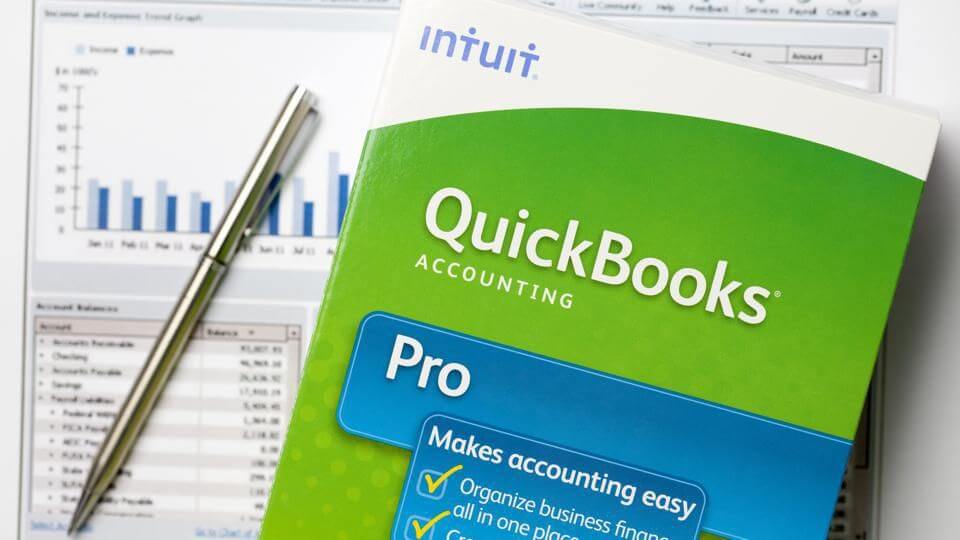
QuickBooks Online dominates small business accounting—but should it dominate YOUR business?
With 85% market share, QuickBooks is the default choice for millions of small businesses. Your accountant probably uses it. Your bookkeeper definitely knows it. Every tutorial you find assumes you’re using it.
However, in 2025, QuickBooks raised prices by 10-17% (again), forcing desktop users to migrate to Online, and continues to leverage its monopoly position while competitors offer better value.
Is QuickBooks still the right choice? Or are you paying a premium just for the name?
Let’s look at what QuickBooks actually delivers in 2025—the good, the bad, and the expensive.
Executive Summary
QuickBooks Online (QBO) remains the dominant accounting software in the small business market, holding approximately 85% market share. While it offers comprehensive features and robust functionality, the platform has faced significant criticism in 2026 due to substantial price increases, the forced transition from Desktop to Online versions, and concerns about customer support quality. Despite these challenges, QuickBooks continues to evolve with AI-powered features and improved automation tools.
📊Quick Facts (2026)
✅ Market Share: 85% (industry leader)
💰 Pricing: $20-235/month (50% off first 3 months)
⚠️ Recent Changes: 10-17% price increases in July 2025
🤖 New Features: AI-powered automation (Intuit Assist)
👥 Best For: Service businesses, working with accountants
❌ Not For: Price-sensitive businesses, complex inventory needs
What is QuickBooks Online?
QuickBooks Online is a cloud-based accounting solution developed by Intuit, designed for small to medium-sized businesses. The platform provides comprehensive financial management tools, including invoicing, expense tracking, bank reconciliation, financial reporting, and payroll services. Unlike its Desktop predecessor, QuickBooks Online operates entirely in the cloud, allowing users to access their financial data from anywhere with an internet connection.
The software is particularly popular among service-based businesses, freelancers, and small companies with 10-100 employees. Industries that commonly use QuickBooks include accounting, information technology, professional services, construction, and retail.
2026 Pricing Structure
Critical Update: QuickBooks implemented significant price increases in July 2025, with monthly costs rising by 10-17% on average across all plans. Since 2020, some plans have increased by over 64%.
| Plan | Monthly Price | Best For |
| Solopreneur | $20 | Freelancers, side gigs, separating business/personal expenses |
| Simple Start | $38 | Small businesses, basic invoicing and expense tracking |
| Essentials | $75 | Growing businesses, bill management, time tracking |
| Plus | $115 | Project tracking, inventory, up to 5 users |
| Advanced | $276 | Advanced reporting, custom permissions, up to 25 users |
Note: QuickBooks typically offers a 50% discount for the first 3 months for new subscribers, along with a 30-day free trial. QuickBooks Enterprise (Desktop) starts at approximately $1,703 per year for more complex business needs.
Key Features & 2026 Updates
Core Functionality
- Unlimited invoicing and expense tracking across all plans
- Bank reconciliation with automatic transaction syncing from connected financial institutions
- Comprehensive financial reporting including P&L statements, balance sheets, and cash flow reports
- Payment acceptance via QuickBooks Payments (credit cards, ACH, Apple Pay, Google Pay)
- Sales tax management with automated calculations and filing assistance
- Mobile app access for iOS and Android devices
- Integration with 750+ third-party apps including PayPal, Shopify, and Gusto
AI-Powered Enhancements
QuickBooks has invested heavily in artificial intelligence features under the brand name Intuit Assist. These new capabilities include:
- Accounting Agent: Automatically categorizes transactions, flags issues requiring attention, and maintains clean books
- Payments Agent: Facilitates faster payment collection and bill payment automation
- Finance Agent: Analyzes financial data, provides insights, and generates cash flow projections
- Smart invoice generation: Copy/paste or forward emails to automatically create invoices
- Enhanced bank feed matching: Improved rules reduce manual review of transactions
Recent Platform Changes
- Tags feature discontinued (May 2025): Replaced with more versatile Custom Fields system
- Redesigned user interface: Customizable dashboards and improved navigation launched mid-2025
- QuickBooks Bill Pay Basic: Now included with all plans at no additional cost
- Desktop discontinuation: QuickBooks Desktop 2022 and older versions being phased out, forcing migration to Online or Enterprise
Advantages of QuickBooks Online
- Industry-leading market position: As the most widely used accounting software (85% market share), QuickBooks has extensive documentation, community support, and accountant familiarity
- Comprehensive feature set: Even basic plans offer robust accounting capabilities including unlimited invoicing, bank reconciliation, and financial reporting
- Cloud accessibility: Access your financial data from anywhere with an internet connection, across all devices
- Excellent bank integration: Automatic syncing with financial institutions streamlines reconciliation and reduces manual data entry
- Scalability: Multiple plan tiers allow businesses to start small and upgrade as they grow
- Accountant collaboration: Easy sharing with tax professionals and bookkeepers who are likely already familiar with the platform
- Customizable invoicing: Professional templates with branding options and multiple payment methods
- Strong third-party ecosystem: Integration with over 750 apps including payment processors, e-commerce platforms, and CRM systems
- AI-powered automation: New Intuit Assist features reduce time spent on repetitive tasks and provide intelligent insights
- Mobile functionality: Well-designed mobile apps (rated 4.7/5 on iOS) enable accounting on the go
Disadvantages of QuickBooks Online
- Aggressive price increases: Annual price hikes of 10-20% have become the norm, with some users reporting increases of 300-400% since 2023. The Plus plan has increased 64% since 2020 (from $70 to $115 per month)
- Forced migration from Desktop: Intuit is discontinuing Desktop versions, forcing users to migrate to Online or expensive Enterprise plans despite Online lacking some Desktop features
- Poor customer support: Numerous complaints about long wait times, ineffective AI chatbots, and representatives who lack product knowledge or accounting expertise
- User limitations: Maximum of 25 concurrent users even on the Advanced plan, while many competitors offer unlimited users
- Limited inventory management: Basic inventory features lack advanced capabilities like lot tracking, barcode scanning, and robust warehouse management
- Bank feed issues: Users frequently report problems with bank connections, duplicate entries, and incorrect transaction categorization
- Frequent bugs and changes: Platform instability with recurring technical issues and UI changes that seem driven by change rather than user benefit
- Learning curve: Requires some accounting knowledge to use effectively; not fully intuitive for complete beginners
- Integration issues: While many integrations exist, users report problems with platforms like Shopify failing to sync inventory or create orders properly
- Lack of industry-specific features: Generic approach means businesses in specialized industries (manufacturing, healthcare) may need additional software
- Aggressive upselling: Frequent contact from QuickBooks attempting to sell upgrades, often making them seem urgent when they’re not necessary
Analysis & Recommendations
The Monopoly Paradox
QuickBooks finds itself in a unique position: it’s simultaneously the best and worst choice for many small businesses. With 85% market share, it’s achieved near-monopoly status in the SMB accounting space, which brings both benefits and serious drawbacks.
The benefits of this dominance are real. Your accountant almost certainly knows QuickBooks. When you hire a bookkeeper, they’ll be familiar with the platform. Finding help, tutorials, and community support is effortless. This network effect creates genuine value that shouldn’t be dismissed.
However, Intuit appears to be exploiting this market position. The 2025 price increases (10-20% annually, with some users seeing 300-400% increases over three years) combined with strong financial performance (20% increase in operating income) suggest the company is prioritizing profit extraction over customer value. The FTC has previously investigated Intuit for anti-competitive practices, and current pricing behavior validates those concerns.
The AI Investment Question
Intuit justifies price increases by pointing to AI innovation through Intuit Assist. The AI features are genuinely useful: automated transaction categorization, intelligent cash flow forecasting, and smart invoice generation can save meaningful time. However, the question remains whether these incremental improvements justify 10-20% annual price increases when the company’s profitability is already soaring.
From a strategic perspective, these AI features appear to be designed not just to improve the product but also to further entrench QuickBooks’ position by making it harder to switch to competitors. The more your business processes are automated within QuickBooks’ AI ecosystem, the more painful migration becomes.
The Desktop to Online Transition
The forced migration from Desktop to Online represents a significant controversy. Desktop users frequently note that the Online version lacks features they depend on, offers less customization, and experiences more frequent outages. Yet Intuit is methodically discontinuing Desktop versions (Desktop 2022 ended support in May 2025), leaving users with three options: migrate to a less capable Online version, pay significantly more for Enterprise, or switch to a competitor.
This strategy appears purely profit-driven. Cloud subscriptions generate more predictable recurring revenue and reduce support costs compared to perpetual Desktop licenses. While there are legitimate benefits to cloud-based accounting (accessibility, automatic backups, collaboration), the transition feels forced rather than customer-centric.
Who Should Use QuickBooks?
QuickBooks makes sense if you:
- Work with an accountant or bookkeeper who uses QuickBooks (switching costs may exceed the pricing premium)
- Run a service-based business without complex inventory needs
- Have predictable, stable cash flow that can absorb annual price increases
- Value the extensive third-party integration ecosystem
Consider alternatives if you:
- Are price-sensitive or operate on tight margins (alternatives like Xero, Wave, or Zoho Books offer competitive pricing)
- Need robust inventory management (consider NetSuite or industry-specific ERP solutions)
- Are starting fresh without an existing QuickBooks history (switching is easier before you’re entrenched)
- Require more than 25 concurrent users
Quick Comparison: QuickBooks vs Competitors
| Feature | QuickBooks | Xero | FreshBooks |
|---|---|---|---|
| Starting Price | $38/mo | $25/mo | $21/mo |
| Market Share | 85% | ~10% | ~3% |
| User Limit | 25 max | Unlimited | Unlimited |
| Ease of Use | ⭐⭐⭐ | ⭐⭐⭐⭐⭐ | ⭐⭐⭐⭐⭐ |
| Features | ⭐⭐⭐⭐⭐ | ⭐⭐⭐⭐ | ⭐⭐⭐ |
| Accountant Preference | ⭐⭐⭐⭐⭐ | ⭐⭐⭐⭐ | ⭐⭐⭐ |
| Price Increases | Aggressive | Moderate | Stable |
The Bottom Line
QuickBooks Online is powerful, comprehensive, and industry-standard—but it’s also expensive, increasingly costly, and backed by a company that appears to be prioritizing profit over customer value. The software itself is good; the business practices are concerning.
For businesses already using QuickBooks with established workflows and accountant relationships, the switching costs likely outweigh the pricing frustrations. But for new businesses, the decision isn’t as clear-cut as it once was. The competitive landscape has improved significantly, and alternatives deserve serious consideration.
Next Steps
Ready to decide if QuickBooks is right for you?
Try it yourself:
- Start the 30-day free trial (no credit card required)
- Connect your bank and import 3 months of transactions
- Send 5 test invoices and generate a P&L report
- Compare with alternatives using my guides:
• QuickBooks vs Xero comparison
• QuickBooks vs FreshBooks comparison
• Free vs Paid accounting software guide
Make your decision based on:
✅ Which interface feels most natural to YOU
✅ Which saves you the most time weekly
✅ Whether features justify the price
The right accounting software is the one you’ll actually use consistently.
My recommendation: If you’re already in the QuickBooks ecosystem, stay unless the cost becomes prohibitive. If you’re choosing new accounting software in 2026, explore alternatives like Xero or FreshBooks before defaulting to QuickBooks. The name recognition and market share don’t automatically make it the right choice anymore.
QuickBooks Online is still a leading accounting platform thanks to its robust features, strong integrations, and widespread accountant adoption, but rising costs and forced product changes have weakened its appeal. Owned by Intuit, the software offers useful AI automation and scalability, yet frequent price hikes and support concerns mean it’s no longer an automatic choice, especially for new or budget-conscious businesses.