By Irina Greenke · Independent accounting software reviewer
Updated: April 2026
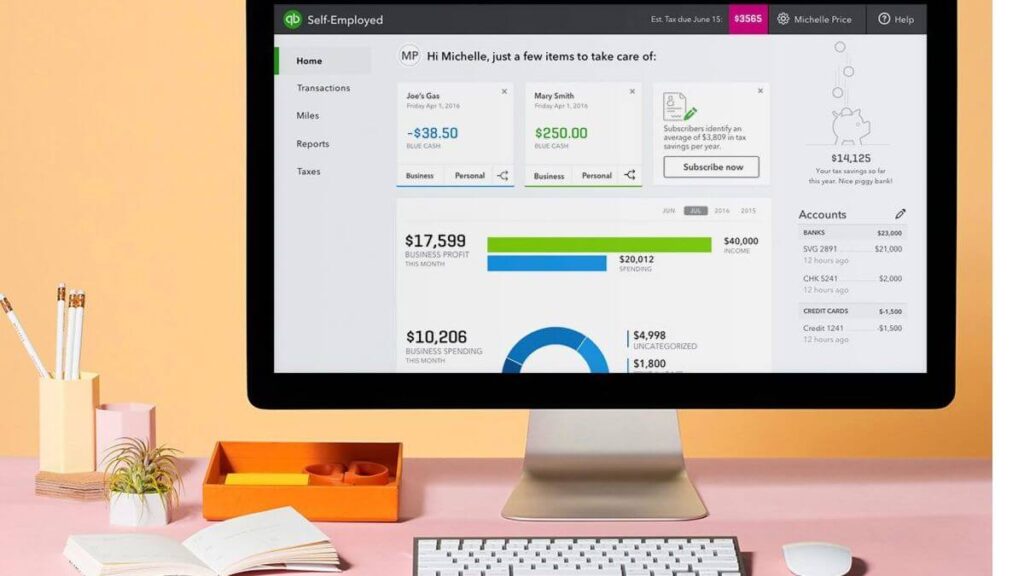
What Is QuickBooks Desktop?
This article examines how QuickBooks Desktop fits into today’s landscape and your practical options moving forward.
QuickBooks Desktop is a locally installed accounting software traditionally used by small to mid-sized businesses, but today it is more commonly positioned as a solution for growing businesses that require more structure, detailed reporting, and control over their accounting processes.
Unlike QuickBooks Online, it stores your data on your computer, giving you more control — but also more responsibility for backups, updates, and access.
Today, traditional Desktop versions (Pro and Premier) are no longer sold to new users. The primary Desktop-based option available is QuickBooks Enterprise, which uses a similar interface but includes more advanced features.
Is QuickBooks Desktop Right for You?
QuickBooks Desktop tends to work best for businesses that prefer a more structured accounting environment, and it’s important to recognize whether your business fits that profile.
👉 It may be a strong fit if:
- you already have established accounting processes in place
- you rely on a bookkeeper or accountant
- you need detailed, structured financial reporting
- you primarily work from a single location
👉 It may not be the best fit if:
- you prefer simple, intuitive tools
- you need access from multiple devices or locations
- you collaborate with a remote team
- you want automation and flexibility built into your workflow
Real Example: A small local business owner working with a bookkeeper and handling all accounting from a single office will often feel comfortable using QuickBooks Desktop. In contrast, a freelancer or service-based business owner who needs to send invoices, check reports, and collaborate on the go will usually find QuickBooks Online far easier to manage.
Key Features
QuickBooks Desktop includes all core accounting tools needed to manage daily financial operations:
- Income and expense tracking
- Customizable invoicing
- Detailed financial reporting (P&L, Balance Sheet, Cash Flow)
- Inventory tracking (limited compared to advanced systems)
- Payroll (available as an add-on)
The reporting functionality is one of its strongest aspects — especially for business owners who need deeper financial insights without relying on multiple tools.
While these features are standard across many accounting tools, QuickBooks Desktop stands out in how much control and customization it offers — particularly in reporting and financial tracking, which can be valuable for more structured or detail-oriented businesses.
In QuickBooks Enterprise, these core features are expanded further — especially in inventory management, reporting, and user permissions — making it more suitable for businesses with more complex needs.
Pros of QuickBooks Desktop
✔ Strong reporting capabilities
QuickBooks Desktop offers more detailed and customizable reports compared to many beginner-friendly tools.
✔ Reliable for established workflows
Once set up properly, it provides a stable environment for managing accounting processes.
✔ No dependency on internet connection
You can work offline without interruptions.
✔ One-time licensing (in some versions)
Unlike subscription-based tools, some Desktop versions allow long-term use without monthly fees.
👉 These strengths are most noticeable in businesses with stable workflows that value consistency and control over flexibility.
Cons of QuickBooks Desktop
❌ No cloud access
You can’t easily access your data from different devices without additional setup.
❌ Manual backups and updates
You are responsible for maintaining your data, which can be risky if neglected.
❌ Limited collaboration
Sharing access with team members or accountants is more complicated than with cloud-based tools.
❌ Can become slow with large files
Performance issues may appear as your data grows.
❌ Less automation
Compared to newer platforms, many processes require manual input.
Real Example: A business owner who needs to quickly check financial data while traveling or collaborate with an accountant remotely may find QuickBooks Desktop limiting. Tasks that require manual updates or access from a single computer can become time-consuming compared to more flexible cloud-based solutions.
⚠️ Availability and Pricing (Important to Know)
QuickBooks Desktop is no longer widely available to new users in the way it once was. For new subscribers in the United States, Intuit no longer sells the standard QuickBooks Desktop Pro, Premier, or Mac subscriptions, which is why these products do not appear on the main QuickBooks pricing pages.
👉 At the time of writing, QuickBooks Enterprise is offered in several tiers:
• Gold — starting at approximately $2,210 per year
• Platinum — around $2,717 per year
• Diamond — approximately $5,364 per year
👉 Additional services may increase the total cost:
• Payroll — around $3 per employee per month (self-managed)
• Assisted payroll — approximately $2.50 per employee per pay period
This pricing structure reflects a significant shift: QuickBooks Desktop is no longer positioned as an entry-level solution, but rather as a higher-tier system for more complex business needs.
It’s also important to note that the base subscription may not include all functionality. Features such as payroll and certain advanced capabilities are often priced separately, which can significantly increase the overall cost.
For example, payroll services may add additional fees depending on how they are set up. In some cases, this can be around $3 per employee per month for self-managed payroll, or approximately $2.50 per employee per pay period for assisted payroll services.
Overall, this pricing structure makes QuickBooks Enterprise a more realistic fit for businesses with more complex operational needs rather than an entry-level solution.
👉 For most new users considering a Desktop-based system today, QuickBooks Enterprise is the main actively supported option. It retains a familiar interface while offering more advanced functionality for growing businesses.
Meanwhile, QuickBooks Online is the more accessible choice for those who prioritize flexibility, automation, and remote access.
For Existing QuickBooks Desktop Users (Important)
If you’ve been using QuickBooks Desktop for years, your situation is different — and this is where many users are now facing real challenges.
In recent years, Intuit has discontinued support for older Desktop versions. Once support ends, certain features and services may stop working, and over time, the software can become increasingly limited or difficult to maintain.
From practical experience, this often creates a frustrating situation:
- the software may still open and function
- but key features, integrations, or services are no longer supported
- and upgrading within Desktop is no longer straightforward
At this point, users typically face a few options:
- continue using their current version with limitations
- maintain or adapt their existing setup
- transition to a cloud-based solution
👉 For many long-time users, the challenge is not just technical — it’s deciding whether to keep a familiar system or move to a new way of working.
Real Example: A long-time QuickBooks Desktop user may still be able to open and use their existing file, but may run into issues with unsupported features, integrations, or system compatibility over time — making everyday tasks less reliable than before.
QuickBooks Desktop vs Online
At a basic level, QuickBooks Desktop and QuickBooks Online offer similar core accounting functions. The real difference is not in what they do, but in how they are designed to be used.
| Feature | QuickBooks Desktop | QuickBooks Online |
| Access | Installed on one computer | Accessible from any device |
| Updates | Manual | Automatic |
| Backup | Manual | Automatic |
| Automation | Limited | Built-in and expanding |
| Collaboration | Restricted | Easy and real-time |
👉 In practice, this difference becomes significant.
With QuickBooks Desktop, you are working in a more controlled, structured environment. This works well if your processes are stable and you don’t need frequent access from multiple locations.
With QuickBooks Online, the focus shifts toward flexibility — you can access your data anywhere, collaborate with your accountant in real time, and rely more on automation for day-to-day tasks.
In recent years, most new users choose QuickBooks Online, not because Desktop lacks features, but because the way businesses operate has changed.
👉 In simple terms: QuickBooks Desktop gives you control. QuickBooks Online gives you flexibility.
Real Example: A local business owner working from a single office with a bookkeeper may find QuickBooks Desktop perfectly sufficient and even preferable due to its structured environment, while a business owner who travels, works remotely, or collaborates with an accountant in different locations will likely find QuickBooks Online far more efficient and easier to manage.
🔥 Should You Stay on QuickBooks Desktop or Move On?
If you’re currently using QuickBooks Desktop or considering it, this is the key question to ask:
QuickBooks Desktop is not obsolete — but it is no longer the direction most small businesses are moving toward.
If your current system works well and your business does not require remote access or automation, there may be no urgent reason to switch.
However, if you are starting to feel limitations — such as difficulty collaborating, lack of automation, or restricted access — it may be time to consider a cloud-based solution.
👉 For many businesses today, the real question is not whether QuickBooks Desktop works — but whether it still fits how they want to operate going forward.
🔥 Should You Consider QuickBooks Enterprise Instead?
If you’re looking for a Desktop-style accounting system today, QuickBooks Enterprise is the closest and most relevant option available.
It offers the same familiar interface as traditional QuickBooks Desktop, but includes more advanced functionality and ongoing support.
For businesses that want to maintain a structured Desktop workflow while scaling their operations, Enterprise is often the natural next step.
Final Verdict: Is QuickBooks Desktop Still Worth It?
QuickBooks Desktop is still relevant for some existing users, but it is no longer the default starting point for most new small businesses.
If you already use it and your workflow is stable, there may be no urgent reason to switch immediately. However, new users should understand that traditional Desktop versions are no longer widely available in the way they once were.
For businesses that still prefer a Desktop-style system, QuickBooks Enterprise is now the closest actively supported option. For those who want flexibility, automation, and easier collaboration, QuickBooks Online is often the more practical choice.
👉In the end, the right choice depends on how you want your business to operate. If you prefer structure and control, QuickBooks Desktop (primarily Enterprise) may still be a good fit. If flexibility, automation, and accessibility are more important, a cloud-based solution like QuickBooks Online may be the better option.