By Irina Greenke · Independent accounting software reviewer
Updated: March 2026
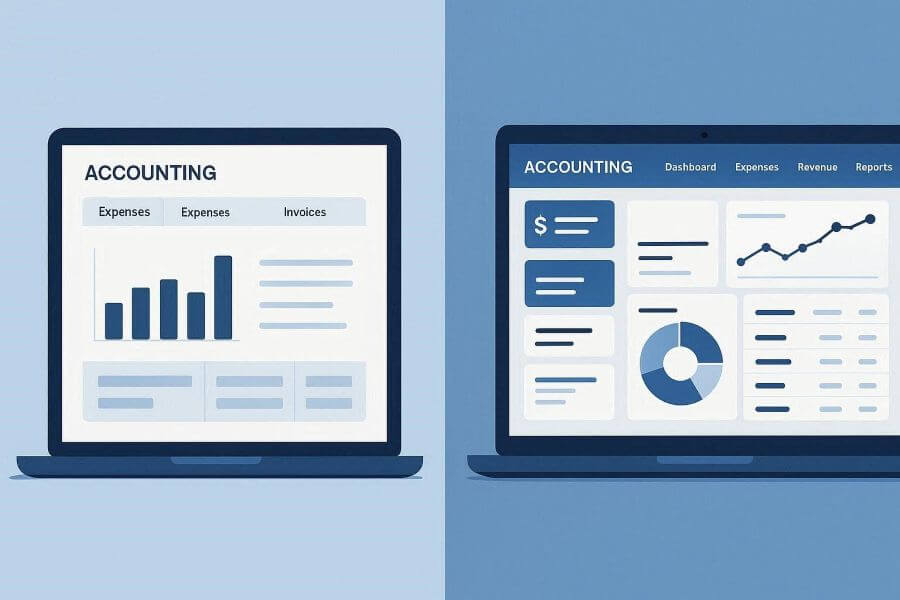
You’re staring at a shoebox of receipts, three months behind on invoicing, and your color-coded spreadsheet has officially become a joke. It’s time for accounting software. But do you go free and keep costs down, or invest in paid software that promises to save you time?
Small businesses tend to compare tools like QuickBooks Online, FreshBooks, Wave, and Xero because each one approaches accounting differently. Some focus on keeping costs low for very small operations, while others emphasize automation, reporting, and scalability as a business grows. Understanding how these platforms differ helps explain why free software can be enough in some situations—and a limitation in others.
Let’s cut through the marketing fluff and answer the questions that actually matter for your decision.
What Does “Free” Software Really Mean?
Free doesn’t mean unlimited. Wave Accounting is genuinely free for basic bookkeeping, as is ZipBooks’ starter plan. But here’s what you typically get: tracking for one business, maybe 5-10 invoices monthly, one bank connection, and basic reports.
The moment you need a second user, want to accept credit card payments (Wave charges 2.9% + $0.60 per transaction), or track inventory, you’re either paying or you’re stuck.
💡 Real Example: I know a freelance photographer who stuck with free software for two years because “it worked fine.” When she finally tracked the time involved—about 12 hours per month manually categorizing transactions, creating invoices outside the software because the templates looked unprofessional, and exporting data for her accountant—the cost became clear. At a modest $40 per hour, that “free” setup was costing her over $5,000 per year in time. A basic paid accounting plan would have cost a fraction of that, with far less manual work.
The hidden costs pile up: Free plans often limit data history access. Some cap transactions per month—great until your side hustle takes off and you’re suddenly hitting 200 transactions instead of 50. Others make you manually import bank transactions every week.
But here’s the twist: Sometimes free is absolutely the right call. Running a genuine side hustle pulling in $500-$2,000 monthly with straightforward transactions? Wave does everything you need. You’re not incorporated, you don’t have employees, and your inventory fits in a closet. Paying for software here makes as much sense as renting office space.
When Is Free Software Actually Enough?
Free software works when your business fits these parameters:
You’re validating your business (under six months old, 5-10 transactions monthly). You need basic tracking for tax purposes, but you don’t need automation because there’s nothing to automate yet.
Your side hustle is simple (under $15,000 annually). You’re a tutor with eight students, a dog walker with regular clients, or you sell vintage items occasionally. Your transactions are predictable, you don’t carry inventory, and you’re the only person who needs to see the books.
You genuinely don’t mind manual work. Some people find weekly transaction categorization meditative. If you’re that person and you’re not three months behind on reconciliation, free software gives you complete control.
You’re bootstrapping hard and every $20 matters more than time. Maybe you’re working a day job while building your business nights and weekends. That $30/month genuinely impacts your runway, but you have time to compensate with manual processes. This should be temporary—upgrade when revenue hits a threshold.
The real test: Track your bookkeeping hours for one month. If you’re spending under 2 hours monthly, free works. If it’s creeping toward 4+ hours, you’re paying for “free” software with your time.
What Do You Actually Get by Paying for Software?
Paid software isn’t just “free plus more features”—it’s a fundamentally different experience.
For Solopreneurs & Freelancers ($50K-$150K annually)
The real value is automation. Entry-level paid plans offer:
- QuickBooks Simple Start ($19/month with 50% off for 3 months, regular $38/month): Receipt capture, mileage tracking, income/expense tracking
- FreshBooks Lite ($23/month, 30-Day free trial, 10% off with annual billing): Up to 5 clients, unlimited invoices, time tracking
- Xero Early ($25/month with 1 month free): Bank reconciliation, invoice customization, basic reporting
Receipt capture means photographing a receipt and the software reads everything, categorizes it based on your history, and files it. If you’re tracking 30+ business expenses monthly and value your time at more than $10/hour, this pays for itself.
Bank feeds learn your patterns. That $4.50 coffee shop charge where you always meet clients? After the second time, the software automatically suggests “Meals & Entertainment” and asks if you want to apply this rule going forward. Over a year, this saves dozens of hours.
For Growing Businesses (past $100K or first employee)
You need payroll integration, multi-user access, and advanced reporting:
- QuickBooks Plus ($57.50/month with 50% off for 3 months, regular $115/month): Up to 5 users, project tracking, inventory management
- FreshBooks Plus ($43/month with 50% off for 6 months, regular $38/month): Up to 50 clients, project profitability, proposals
- Xero Growing ($55/month with 1 month free): Up to 5 users, multi-currency, expense claims
💡 Real Example: You’re running an online retail business doing around $200K annually and relying on Wave for basic bookkeeping, while tracking inventory manually outside the software. Each month, you reconcile hundreds of transactions, pay a bookkeeper to organize the books, and spend several hours on inventory counts. After switching to a mid-tier paid accounting platform, bank feeds handle most transaction categorization automatically, inventory updates in real time, and bookkeeper involvement drops to brief monthly check-ins. Software costs increase, but bookkeeping fees decrease, and several hours of manual work are eliminated. The time and cost savings more than justify the upgrade.
For Product-Based Businesses
If you’re selling physical products and need to know you have 47 units of Product A, your cost per unit, and when to reorder, free software taps out. Inventory management features include:
- Automatic cost of goods sold tracking
- Low stock alerts
- Real-time quantity updates as sales happen
- Purchase order management
For tax season: Paid software generates Schedule C forms, profit and loss statements formatted for tax preparers, and detailed expense reports. More importantly, it gives your accountant their own login. This feature alone saves hundreds in accounting fees because your CPA doesn’t spend three billable hours cleaning up your data.
How Do I Know When It’s Time to Upgrade?
⚠️ UPGRADE TRIGGERS – Set specific triggers, not vague feelings:
- You’re spending more than 3 hours monthly on manual bookkeeping
- You’ve sent more than 10 invoices monthly for two consecutive months
- You’ve hired your first employee or contractor
- You’re managing inventory and you’ve lost track of stock levels
- You’ve missed entering expenses and it affected a financial decision
- Your accountant asks for reports your free software can’t generate
Hit two triggers? Start researching. Hit three? Upgrade immediately.
What’s the Smartest Way to Transition from Free to Paid?
Start free with Wave or ZipBooks. Use it to establish bookkeeping habits, figure out which reports you actually need, and learn what accounting terms mean for your business.
When you hit upgrade triggers, don’t switch cold turkey. In December, start your paid software subscription and enter January transactions in both systems. This lets you verify everything works and catch integration issues. By February, you’re confident and can abandon the free system.
Some tools are designed as stepping stones. Wave stays free for core accounting but charges for payments and payroll. You can start completely free, add payment processing when clients want to pay by credit card, then add payroll when you hire. You’re upgrading features without changing platforms.
Strategic trial use: Don’t waste FreshBooks’ 30-day trial the day you sign up. Use free software to establish processes first, then start the trial when you’re ready to seriously evaluate. Thirty days of full access, knowing exactly what to test, is infinitely more valuable.
💡 Real Example: A consultant started with Wave when she left corporate. Six months in, she was landing larger clients and sending 15+ invoices each month, so she added Wave’s payment processing. A year later, she hired a virtual assistant who needed access to invoices and upgraded to FreshBooks Lite on a promotional plan available at the time. Her software costs increased gradually as revenue grew, keeping expenses aligned with business growth.
What Are the Red Flags I Should Watch For?
🚩 Free software that traps your data. Before committing, verify you can export complete financial data in standard formats (CSV, Excel, QBO files). Some free tools make export a premium feature, meaning you can’t leave without paying or manually re-entering everything. Wave and ZipBooks offer free data export. If a provider doesn’t, run.
🚩 “Unlimited” plans with secret limits. QuickBooks Online advertises unlimited features but has transaction limits on some plans. FreshBooks says unlimited invoices but limits active clients on lower tiers. Read actual limits in pricing details, not marketing copy.
🚩 Introductory pricing that expires. Many providers offer 50-70% discounts for the first 3-6 months. Mark your calendar for when the discount ends and evaluate if it’s still worth full price. Often it is, but sometimes you’ll find alternatives at better standard pricing.
Current promotional pricing (as of 2026):
- QuickBooks: 50% off first 3 months on all plans
- FreshBooks: 30-Day free trial, 10% off with annual billing on all plans
- Xero: 1 month free trial on all plans
🚩 Banks that don’t connect. If you bank with Chase, Bank of America, or Wells Fargo, every reputable platform connects. But regional banks and credit unions sometimes have issues. Verify your specific bank is on the supported list before subscribing. Manual transaction entry defeats 80% of the value.
🚩 Customer support gaps. Free software typically offers email support with 24-48 hour response times. Paid software offers phone support and live chat. When your bank feed breaks two days before a tax deadline, this matters. Most paid plans include priority support; free versions rely on community forums.
🚩 Nickel-and-diming essential features. Some software advertises low base prices but charges extra for bank connections (should be free), document storage (should be included), or emailed invoices (absolutely should be free). Calculate all-in cost for features you’ll actually use.
What Should I Do Right Now?
If you’re just starting (under 6 months, under $3,000 monthly revenue): Start with Wave. Spend one hour weekly entering transactions. Set a phone reminder. After three months, calculate your time. Under 2 hours monthly? Stay free. Creeping toward 4+ hours? Start looking at paid options.
If you’re an established freelancer ($50K-$150K annually, multiple clients): Go with FreshBooks Lite (starts at $23/month promotional) or QuickBooks Simple Start (starts at $19/month promotional). Time savings on invoice creation alone pay for itself. Use the 30-day trial to import your last three months of transactions. If the software auto-categorizes 70% accurately, keep it.
If you’re selling products (e-commerce, retail, physical goods): You need inventory management from day one. Start with mid-tier plans that include this feature. Don’t try to start free and upgrade later—managing inventory across systems creates disasters.
If you have employees: You need payroll integration. Don’t separate payroll from accounting. The integration headaches aren’t worth cost savings.
Your Quick Action Plan
- List your current accounting tasks and estimate monthly hours
- Calculate the time cost at your hourly rate (minimum $40/hour)
- Check which upgrade triggers you’ve hit from the list above
- If 2+ triggers: Try free trials of 2-3 paid options with your real data
- If 0-1 triggers: Stick with free for now, but reassess in 3 months
The Bottom Line
The right answer isn’t always free, and it’s not always expensive. It’s whatever matches your current business reality while leaving room to grow.
Make your decision based on math—hours saved versus dollars spent—not on guilt about spending money or pride about bootstrapping with free tools.
Pricing, features, and promotional offers may change over time. Always review current plan details directly on the provider’s website before making a decision.
Thank you for breaking this down for me as I am looking for a simple accounting system to share with another who is becoming a solopreneur. This is a great article comparing the software benefits and functions. Wave sounds like an ideal system to use with zero employees. I will definitely look into Wave as I’m not a bookkeeper or a business-oriented person. I hope Wave is super easy to use and understand without the eloquent business jargon. Does Wave have teachable moments like step by step procedures as one uses the system?
Thank you so much for your thoughtful comment — I’m glad the comparison was helpful.
Wave is indeed a good choice for solopreneurs with no employees, especially for those who want a simple system without complex accounting language.
To your question: yes, Wave is built with beginners in mind. The platform provides guided setup, clear prompts, and step-by-step assistance as you work through tasks like invoicing, expense tracking, and bank connections. While it’s not a formal tutorial program, it does offer helpful guidance at each stage, which makes it easier for non-bookkeepers to get started.
For someone new to business and accounting, Wave is definitely worth considering.
This is a very practical and well-balanced breakdown of the free vs. paid accounting software decision. I appreciate how you highlight the hidden cost of time, which many small business owners underestimate when choosing free tools. Your upgrade triggers and real-world examples make it much easier for readers to recognize when their bookkeeping setup is no longer serving their growth. Overall, it’s a clear reminder that the smartest choice is the one that aligns with both the current stage of the business and the value of the owner’s time.
Hi Kavitha,
Thank you for your kind feedback. I’m glad the article was helpful. The trade-off between free tools and the hidden cost of time is something many small business owners discover as their business grows, so I wanted to highlight that point clearly.
I appreciate you taking the time to share your thoughts.